
TikTok will not let you use an invisible character in your username. Your nickname, bio, captions, and comments are different fields, though, and they may handle Unicode characters differently. This page separates what is possible from what is not confirmed. It also covers the idea of leaving a blank-looking comment on someone’s video. The same character shown below is also the quickest one to copy on its own if you just need it fast.
Best Invisible Character for TikTok
TikTok does not publish an official list showing which invisible Unicode characters work in every field. Hangul Filler (U+3164) is commonly used for blank-looking text, but its behavior can vary by field, app version, and device. It is better to test it in the exact field where you want to use it.
U+3164
Hangul Filler
Commonly used for blank-looking text
Why Your TikTok Username Cannot Be Blank
Your TikTok username is the name that appears after the @ symbol. TikTok says usernames can only contain letters, numbers, underscores, and periods. A period also cannot appear at the end of a username. This means an invisible Unicode character cannot be used as a username. Your nickname is separate from your username and allows up to 30 characters, numbers, or symbols.
If your goal is a blank-looking profile name, the nickname field is the field to test, not the username.
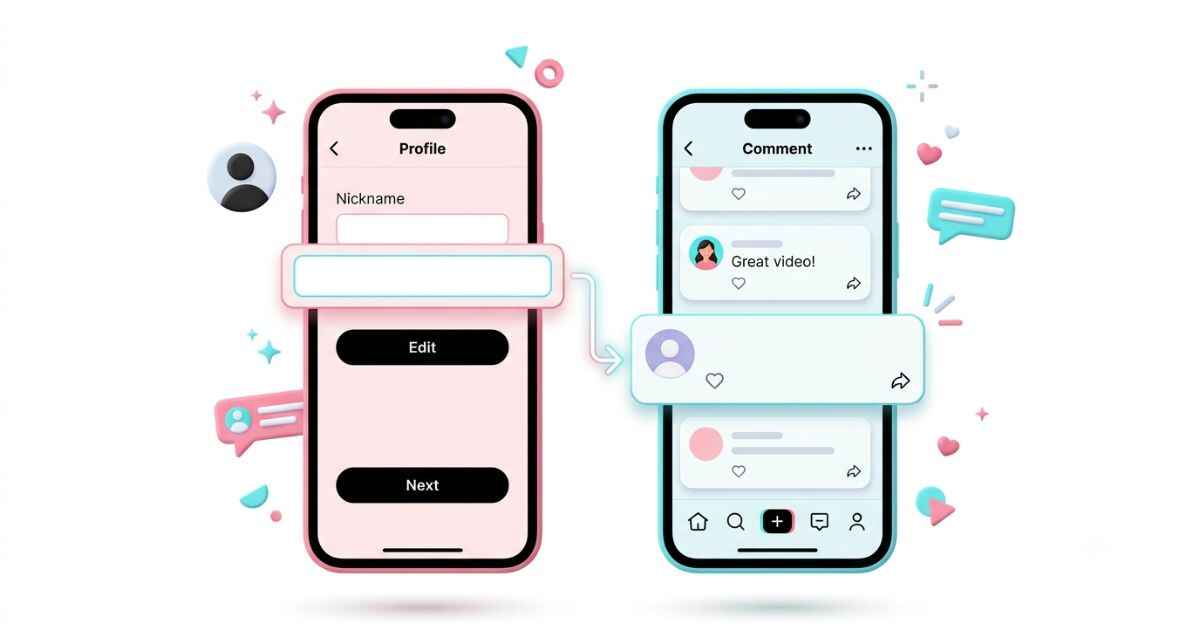
How to Set an Invisible TikTok Nickname
- Open your profile and tap Edit Profile.
- Tap the Name field. This is your nickname, separate from your @username below it.
- Clear the field and paste the copied character.
- Tap Save.
TikTok allows you to change your nickname once every 7 days. If the field will not save, the change limit may be the reason rather than the character itself.
How to Leave a Blank Comment on TikTok
Posting a comment that appears empty is sometimes discussed as a TikTok trend. However, TikTok does not officially document support for blank-looking comments made with specific invisible Unicode characters. A plain space may also be removed or rejected.
- Open the video and tap the comment icon.
- Tap the comment box to bring up your keyboard.
- Paste the copied character instead of typing a space.
- Tap Post. If TikTok accepts the character, the comment may appear without visible text.
Which Invisible Characters Work on TikTok
TikTok does not provide an official compatibility table for invisible Unicode characters. The results below should therefore be treated as general testing guidance, not guaranteed TikTok behavior.
| Character | Username | Nickname | Bio | Comment |
|---|---|---|---|---|
| Hangul Filler (U+3164) | Blocked | Not officially verified | Not officially verified | Not officially verified |
| Braille Blank (U+2800) | Blocked | Not officially verified | Not officially verified | Not officially verified |
| Zero Width Space (U+200B) | Blocked | Not officially verified | Not officially verified | Not officially verified |
| Zero Width Non-Joiner (U+200C) | Blocked | Not officially verified | Not officially verified | Not officially verified |
| Word Joiner (U+2060) | Blocked | Not officially verified | Not officially verified | Not officially verified |
Notice the username column never turns green. TikTok officially limits usernames to letters, numbers, underscores, and periods. That is why these invisible Unicode characters cannot be used there.
Common TikTok Invisible Character Problems
The nickname field is greyed out or will not let you tap save
TikTok only allows you to change your nickname once every 7 days. If you recently changed it, wait until the limit has passed before trying again.
Your comment posts but shows a small dot to other viewers
Unicode characters can display differently depending on the device, font, and app version. A character that looks blank on one device may appear as a dot, box, or other mark on another device. This is a display difference, not necessarily a posting error.
Your caption looks blank while filming but shows text after posting
The preview and the published video may display text differently. Post the video and check the final result before assuming the character failed.
You want to copy a blank comment style you saw on another video
If you copy a comment straight from someone else’s video, it can contain extra characters you cannot see. Running the copied text through a character scanner shows what characters are inside it before you paste it yourself.
Your bio spacing looks different on TikTok for desktop
TikTok can display text differently across devices and screen sizes. A spacing pattern that looks right on your phone may look different in a browser. If the layout gets messy, it is often easier to clear the hidden characters with a cleanup tool and rebuild the spacing from scratch.
TikTok Invisible Character FAQ
Can I make my TikTok username invisible?
No. TikTok says usernames can only contain letters, numbers, underscores, and periods. A period also cannot be placed at the end of a username. Therefore, invisible Unicode characters cannot be used as usernames.
Will leaving blank comments get my account restricted?
A blank-looking comment made with a Unicode character is not automatically a policy violation based only on the character itself. However, TikTok can take action against spam or other behavior that violates its rules. Avoid repeatedly posting comments that could be treated as spam.
Does an invisible caption hurt how many people see my video?
There is no reliable evidence that using an invisible character by itself determines how many people see a TikTok video. Video distribution depends on many factors, so it is better not to treat an invisible caption as a way to increase or decrease reach.
Can I use an invisible character in a TikTok Live title?
TikTok does not provide an official compatibility list confirming which invisible Unicode characters work in LIVE titles. A character that works in one TikTok field may not work in another, so test it before relying on it.
Why does my nickname keep reverting even after the cooldown message goes away?
If the nickname still does not save after the 7-day change limit has passed, close and reopen TikTok and try again. If the problem continues, check that the nickname follows TikTok’s rules and contact TikTok support if needed. TikTok confirms that nicknames must follow its Community Guidelines.