
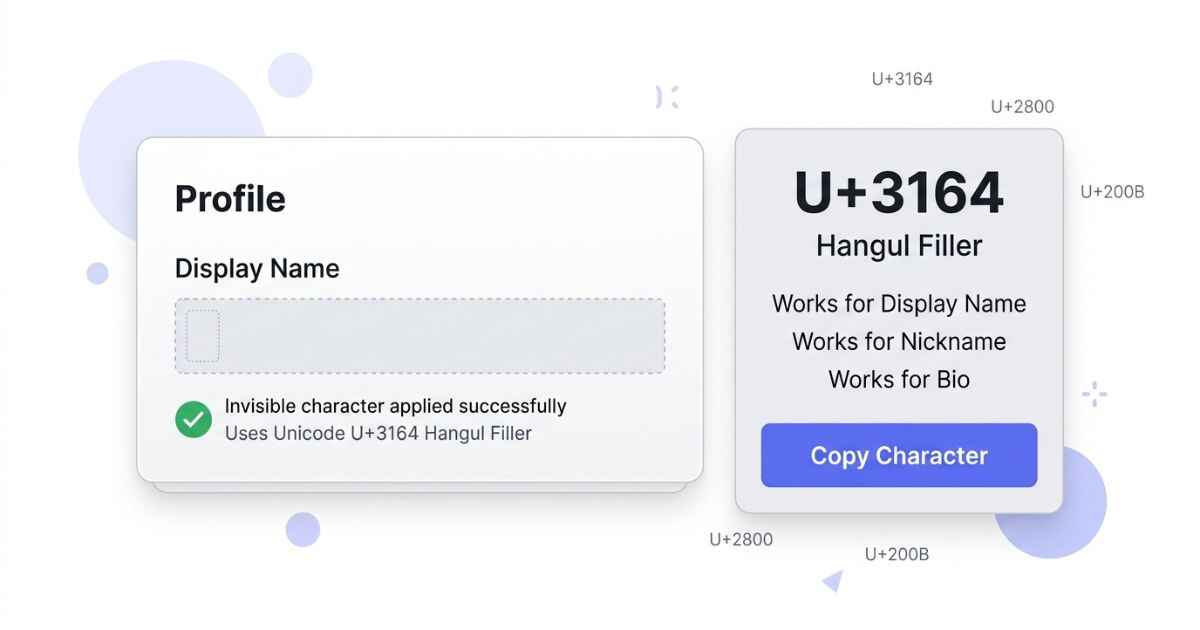
Discord uses different rules for usernames, display names, and nicknames. A blank-looking Unicode character may work in some name fields but not in the unique @username. This page shows the character commonly used for a blank-looking Discord display name, the steps to add it, and what to do if Discord removes it. You can also copy other invisible characters if this one does not fit what you need.
Best Invisible Character for a Discord Name
Among the invisible and blank Unicode characters in the full blank character comparison, Hangul Filler (U+3164) is one commonly used character for a blank-looking Discord display name. Discord allows special characters, spaces, emojis, and non-Latin characters in display names. However, Discord usernames have much stricter character rules and cannot use U+3164. Discord’s official guide to usernames and display names explains these rules.
U+3164
Hangul Filler
Commonly used for a blank-looking display name and server nickname
How to Set an Invisible Name on Discord
Discord has a unique username, a display name, and server and friend nicknames. Your display name is your main name across Discord. A server nickname takes priority over your display name in that server. A friend nickname can also take priority in your DMs.
Set Your Display Name
- Open Discord and click the gear icon near your name at the bottom left to open User Settings.
- Select Edit Profile, or go to My Account and find the Display Name field.
- Clear the field, paste the copied character, and save.
- Your display name can appear blank-looking in places where a server or friend nickname is not overriding it.
Set a Nickname in One Server
- Right-click your name in the member list of that server.
- Select Edit Server Profile.
- Clear the Nickname field and paste the copied character.
- Save. This name only applies in that one server. Your name in other servers stays the same.
Your Discord username, the one with the @ symbol used to add friends, cannot be set to U+3164. New Discord usernames must be 2 to 32 characters long and can only use Latin letters, numbers, underscores, and periods. Only certain display-name and nickname fields can use other Unicode characters.
Step-by-step guide to setting a blank-looking Discord display name.
Which Invisible Characters Work on Discord
The following table lists characters that are commonly used for blank-looking text. Discord’s official documentation does not provide an official compatibility table for these Unicode characters, so results can vary by field, client, or future Discord updates.
| Character | Display Name | Server Nickname | Bio | Messages |
|---|---|---|---|---|
| Hangul Filler (U+3164) | Commonly used | Commonly used | Not officially verified | Not officially verified |
| Braille Blank (U+2800) | Commonly used | Commonly used | Not officially verified | Not officially verified |
| Zero Width Space (U+200B) | Commonly used | Commonly used | Not officially verified | Not officially verified |
| Zero Width Non-Joiner (U+200C) | May be blocked | May be blocked | Not officially verified | May work |
| Word Joiner (U+2060) | May be blocked | May be blocked | Not officially verified | May be blocked |
Hangul Filler is a Unicode character officially named HANGUL FILLER. It is U+3164 in the Unicode Standard. You can check the Unicode character listing for U+3164 Hangul Filler to see its official name and Unicode code point. Because Discord does not publish an official list of invisible-character compatibility, it is better to test a character in the exact field where you want to use it.
Discord does allow spaces and special characters in display names, but a blank-looking character is different from an ordinary space. If a blank-looking value is rejected as empty, try the Unicode character instead.
Common Discord Invisible Name Problems
Discord says the name field cannot be empty
This can happen when the value you paste is treated as empty by Discord. A normal space may not give you the blank-looking result you want. Use the exact Unicode character instead and paste it directly. Do not retype it using your keyboard space bar.
The name reverts back after saving
If your name changes back to your old name right after you save, the app may not have refreshed. Close Discord fully and reopen it, or refresh the browser tab if you use Discord in a browser.
The name shows as a small box or question mark
A box or question mark can mean the device you are viewing the name on does not have a font that can display that character. The name may still be set correctly. This is a display issue on the viewer’s device, not necessarily a problem with your account.
The nickname works in one server but not another
Some Discord servers may use bots or server rules that affect nicknames. If a nickname will not save in a specific server, check that server’s permissions and settings.
You copied a name from someone else and want to check it
If a name you copied from another user looks blank but will not paste correctly, it may contain a different character than you expect, or more than one character strung together. You can use an invisible character detector to check exactly which hidden characters the text contains before trying to reuse it.
Discord Invisible Name FAQ
Can I get banned for using an invisible name on Discord?
Using a blank-looking Unicode character is not the same as using a hack or exploit. However, Discord requires usernames and display names to follow its Community Guidelines. A blank-looking name should not be used to impersonate someone, attack others, or break Discord’s rules.
Can my Discord username, the one with the @ symbol, be invisible?
No. New Discord usernames have strict character rules. They must be unique, 2 to 32 characters long, and can use Latin letters, numbers, underscores, and periods. U+3164 Hangul Filler is not permitted in a new Discord username.
Why does my invisible name show a tiny dot instead of nothing?
This can happen when a font or device renders an empty-looking character differently. It may appear slightly different depending on the device, app, or font being used.
Can I make an entire Discord server name invisible?
Discord’s official documentation does not confirm that U+3164 can be used as an invisible server name. Server names and Unicode characters can also be affected by Discord’s current validation rules. If you want to test this, check the current Server Settings on your Discord client rather than assuming the character will always work.
Does an invisible name affect how Discord sorts the member list?
Discord’s official documentation does not state that a blank-looking name using Hangul Filler will appear near the top of the member list. The exact display and sorting behavior can vary, so this should not be treated as a guaranteed result.