
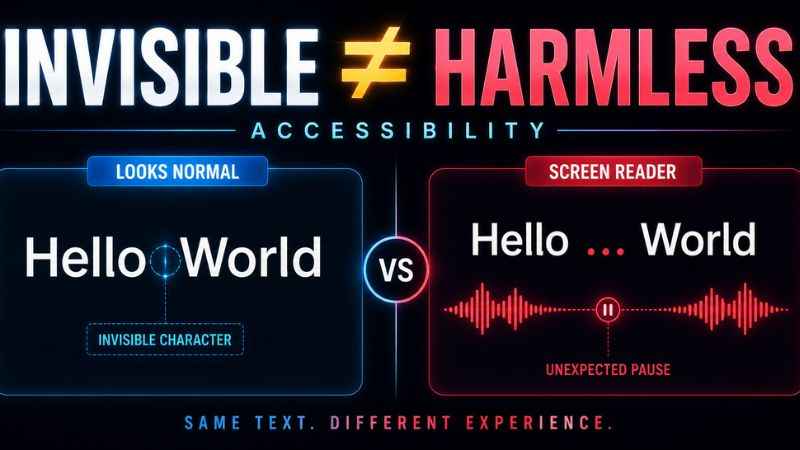
Invisible characters and accessibility do not always mix well. A character that looks empty on screen can still affect how text is processed or presented. The exact result depends on the character, browser, operating system, and assistive technology.
This guide explains how assistive technology can handle these characters, who may be affected, and when using an invisible character is fine versus when it can cause problems for users.
How Screen Readers Handle Invisible Characters
Screen readers read text out loud for people who cannot see a screen well, or at all. How they handle invisible or format characters can vary depending on the character and the software.
An invisible character does not automatically disappear from the underlying text. Some Unicode characters are designed to have no visible display. For example, zero width space is normally invisible and is used to provide an invisible line-break opportunity.
The exact behavior is not guaranteed to be the same every time. Assistive technology and other text-processing software can handle characters differently.
This inconsistency can become a problem. A sighted person may see smooth, clean spacing, while another user may experience different text behavior depending on the software being used.
Different screen readers and assistive technologies can handle the same text differently. This means you should not assume that an invisible character will always be ignored or always be announced in the same way.
| Character Type | Possible Behavior |
|---|---|
| Printable blank character | May be announced, ignored, or handled according to the software |
| Zero-width character | May be skipped or affect text processing and navigation |
| Several stacked together | May create unexpected behavior or confusing output |
A character like zero width space is especially important to understand because it was designed to provide line-break opportunities, not to create visual spacing. Unicode describes it as an invisible break opportunity. Every character, visible or not, is built from the same numbering system described in a guide to what Unicode actually is, but Unicode itself does not define how a screen reader should pronounce every character.
The Real Impact on Visually Impaired Users
This is not just a technical detail. It can change how someone experiences a page or a profile.
Imagine scrolling through a list of usernames using a screen reader. A blank-looking name may provide little useful information about the account. If several profiles use similar blank-looking names, it can become harder to tell them apart.
Inside a longer piece of text, an unexpected character can also affect how the text is processed. The exact result depends on the character and the software handling it.
None of this means invisible characters are always harmful. It means their effects can be easy for a sighted person to miss.
When It Is Fine to Use One, and When It Is Not
Not every use of an invisible character causes a problem. Context matters a lot here.
A single invisible character in a personal username or bio may have little practical impact, but the result can still vary across assistive technologies and platforms. The effect depends on the character and how the platform processes it.
The picture changes for content meant for a wide audience. A business website, a public announcement, or an article read by many people carries more responsibility. Content built to be read by as many people as possible should avoid relying on invisible characters for anything important.
A useful rule of thumb: if removing the invisible character would still leave the content fully understandable, it is usually a lower-risk choice. If the character is doing important work, such as separating two pieces of information, a visible character or an actual line break is usually the safer choice.
Best Practices for Content Creators
A few simple habits can keep content easier to understand.
Use real line breaks and paragraph spacing instead of invisible characters when formatting longer content. Most writing tools already support this without needing any special character.
Avoid stacking many invisible characters together. A long sequence can be harder for software to process than normal spacing.
Test important content with a screen reader if you can. What looks fine to a sighted reader may behave differently when assistive technology processes it.
Save invisible characters for personal, low-stakes uses, like a username or a casual bio, rather than content meant to inform or serve a wide audience.
Frequently Asked Questions
Do all screen readers treat invisible characters the same way?
No. Different screen readers and assistive technologies can handle characters differently. The same text may not behave exactly the same way in every system.
Is it wrong to use an invisible character in my own username?
Not necessarily. A personal profile is usually a lower-stakes situation. The accessibility concern becomes more important when content is meant to reach a wide or general audience.
Can invisible characters break a screen reader completely?
There is no general rule that invisible characters will break a screen reader. Their effect depends on the character, software, and text around it. Long or unusual sequences can create unexpected behavior.
Should businesses avoid invisible characters entirely?
For customer-facing or informational content, avoiding invisible characters is usually the safer approach. Real line breaks and normal spacing make the structure easier to understand.
Are some invisible characters worse for accessibility than others?
Their effects can differ. Characters have different Unicode properties and purposes, so software may process them in different ways. A character designed for line breaking, for example, has a different purpose from a character used for joining text.
How can I check if my content has accessibility issues from hidden characters?
A character scanning tool can reveal which hidden characters are present in a piece of text. This can help you decide whether any of them should be removed.
Invisible characters are not automatically inaccessible, but they can create unexpected results when used in content that other people need to read or navigate. For public and informational content, normal spacing, real line breaks, and semantic HTML are usually the safer choices.